


This guide walks you through, step by step, on how to change or customize your password from the SiVIEW platform.
By following there instructions, you can quickly update your login information and secure your account.
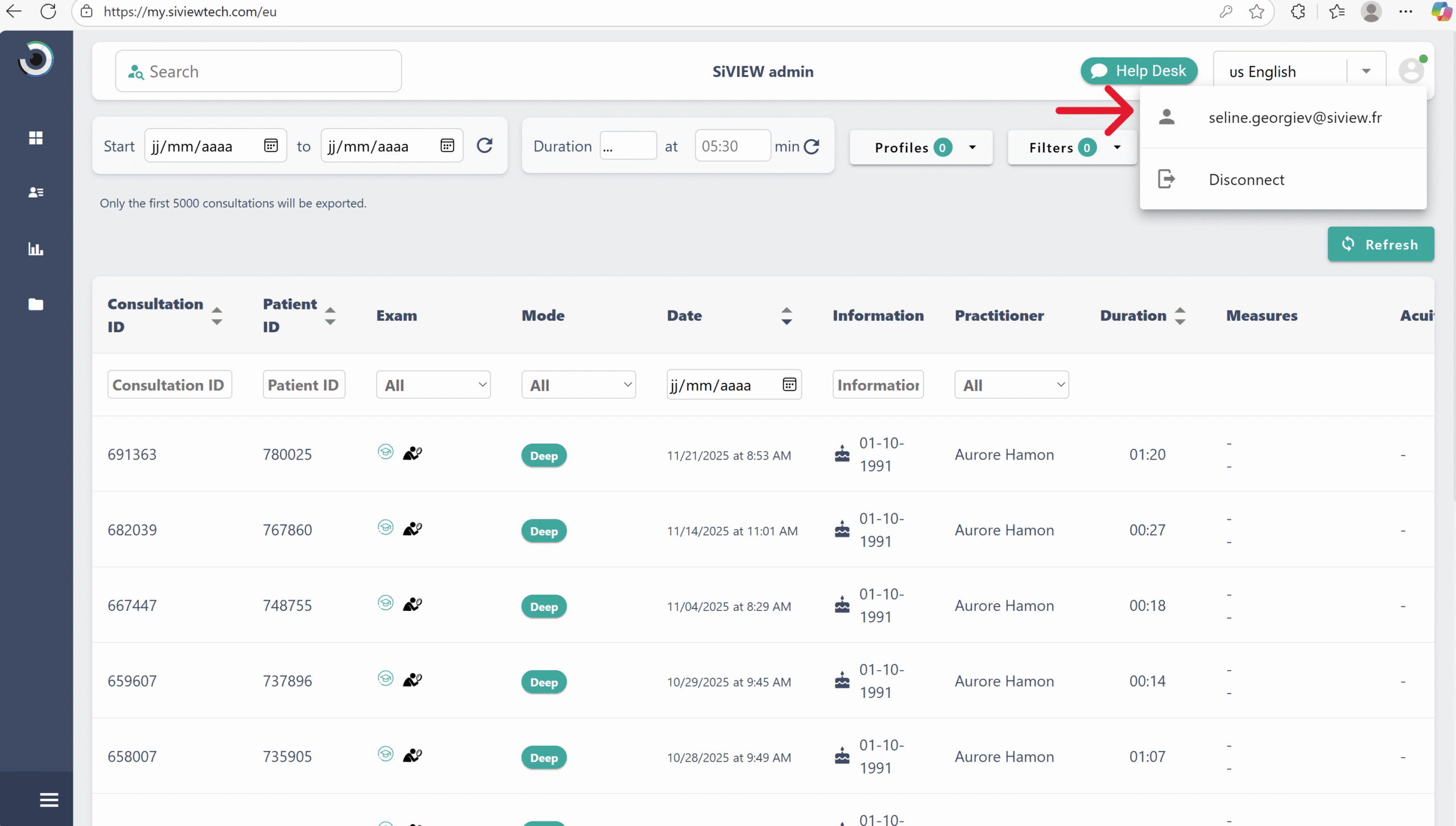
Once in your account settings, follow the steps below to change your password:
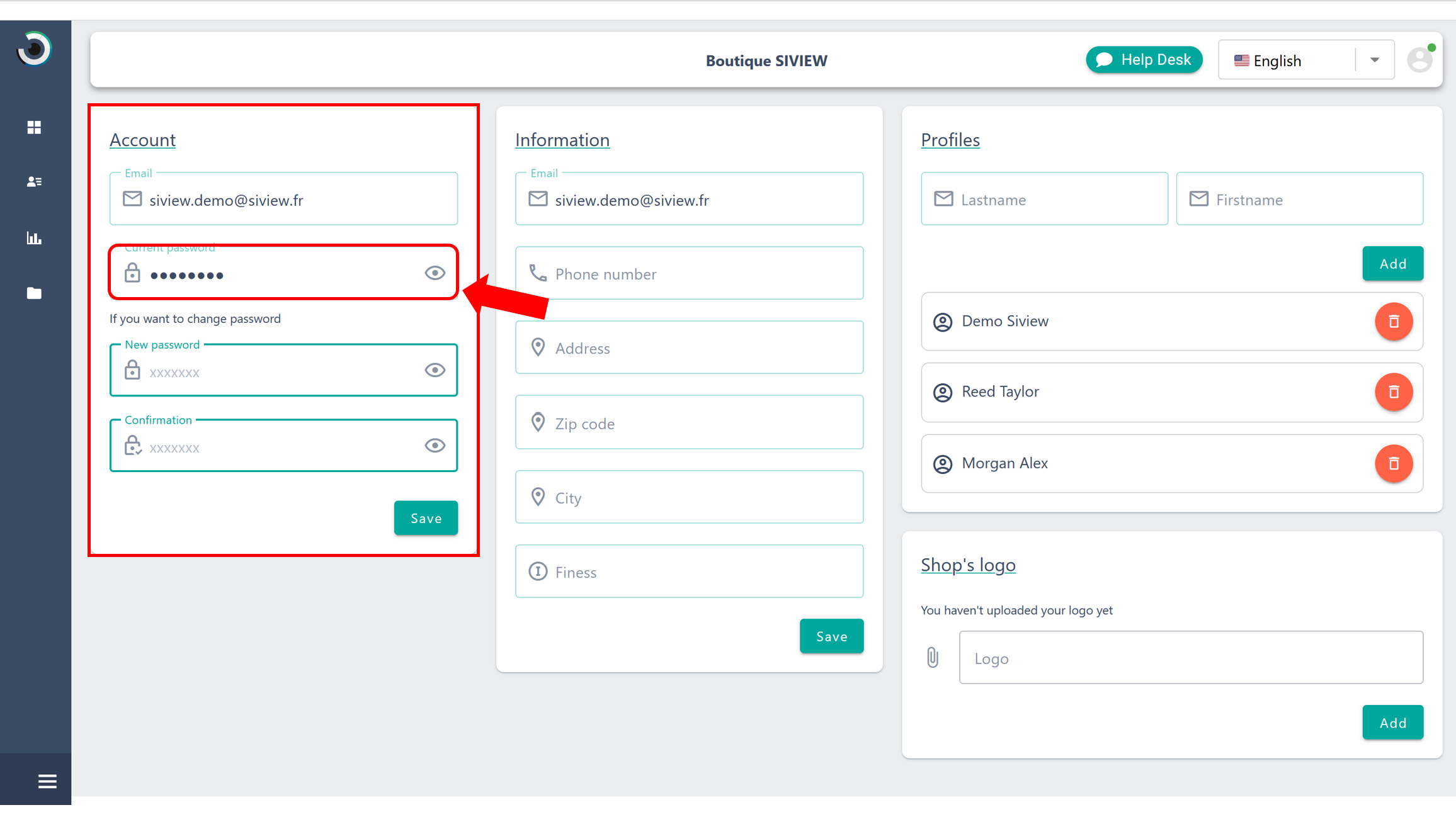
Enter your password while following SiVIEW’s security requirements:
Re-enter your new password to confirm it, the click “Save”.
Tip: A secure password should be unique, sufficiently complex, and easy for you to remember. Avoid using obvious personal information.
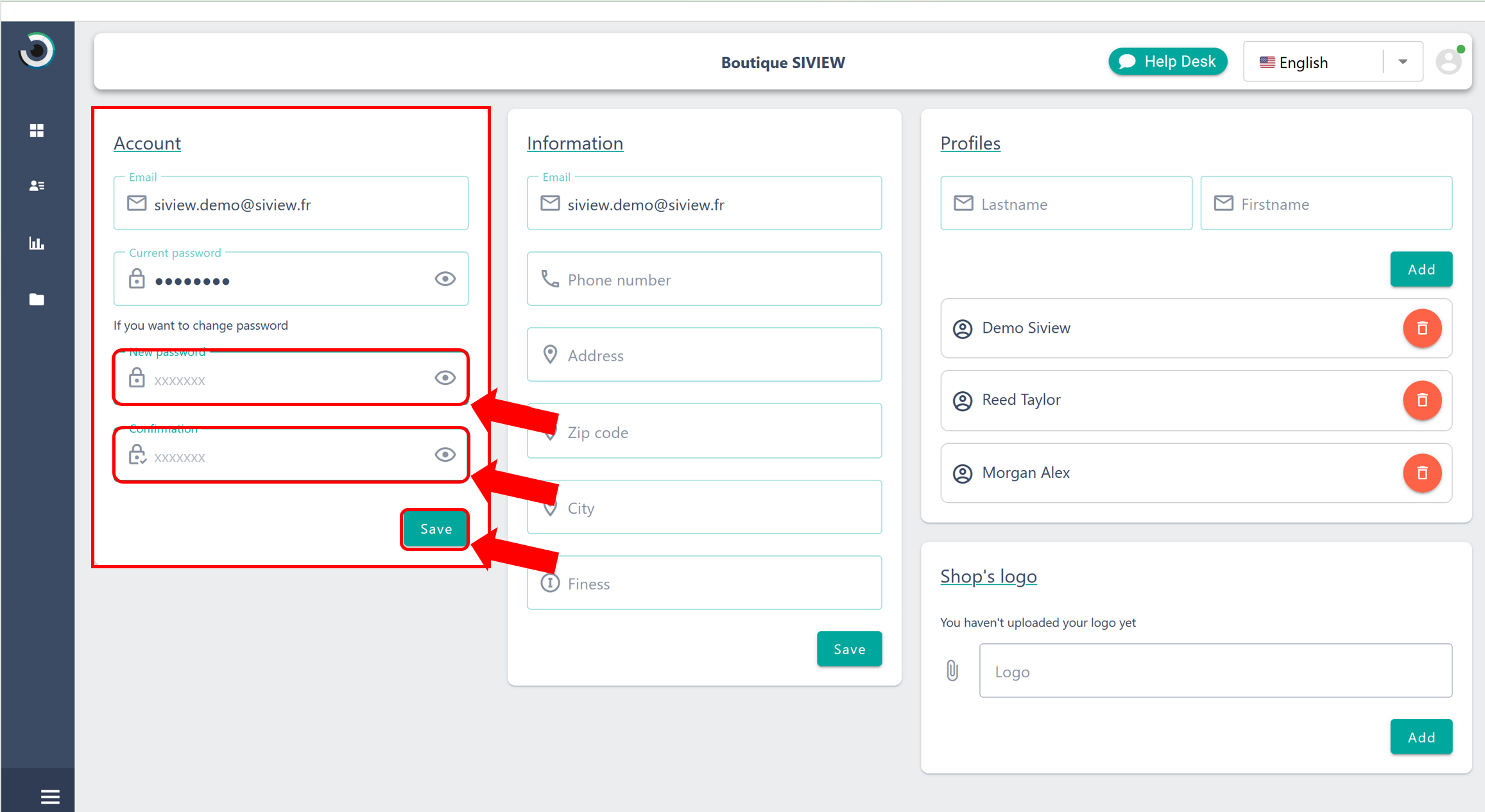
To protect your account, we recommend that you:
By following these simple steps, you can now update your SiVIEW password with confidence, ensuring your account remains secure. All that is left is to enjoy the SiVIEW Exam app by logging in with your new password !